
Graph
The Graph tab draws the units and the links between them: the neighbourhood of a unit, the path a transaction took, or the path from one unit to another.
What you see
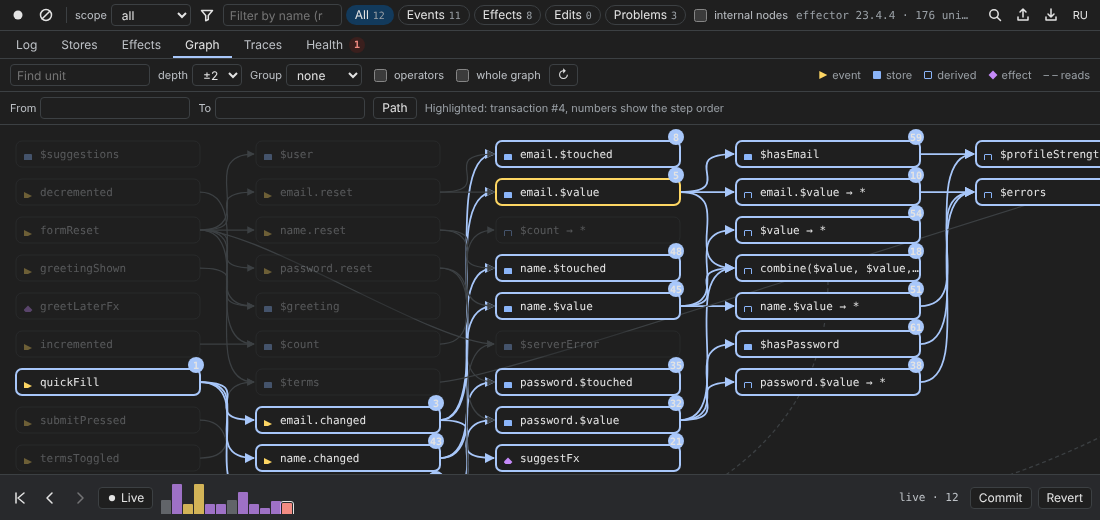
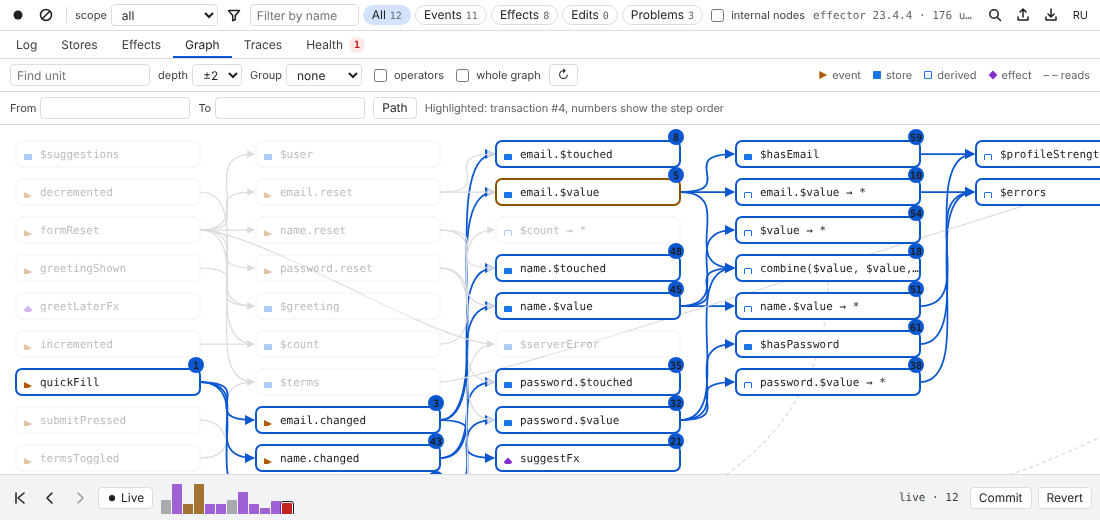
Units are boxes with the usual glyphs (▶ event, ■ store, □ derived, ◆ effect); arrows go from a source to its target. Dashed lines (– – reads) are reads: a sample that takes a store as source without being triggered by it. Columns follow the direction of the data.
- Select a transaction in the Log and the graph highlights its path; the numbers on the boxes are the order of the steps (“Highlighted: transaction #4, numbers show the step order”).
- Select a unit (in the Log, Stores, the palette or here) and the graph shows its neighbourhood.
- Double-click a store to open it in Stores.
The toolbar
| Control | What it does |
|---|---|
| Find unit | highlights units whose name contains the text |
depth ±1…±6 | how many links around the selection to show |
| Group | none, file, factory, domain or model — collapses units into one box per group |
| operators | labels edges with the operators between units (sample, map, on…, ×6 when repeated) |
| whole graph | shows every unit, not just the neighbourhood |
| ↻ | reloads the graph from the page |
| From / To / Path | finds the path from one unit to another (“Path: 5 units”, or “No path between these units”); Clear resets it |
Path from A to B
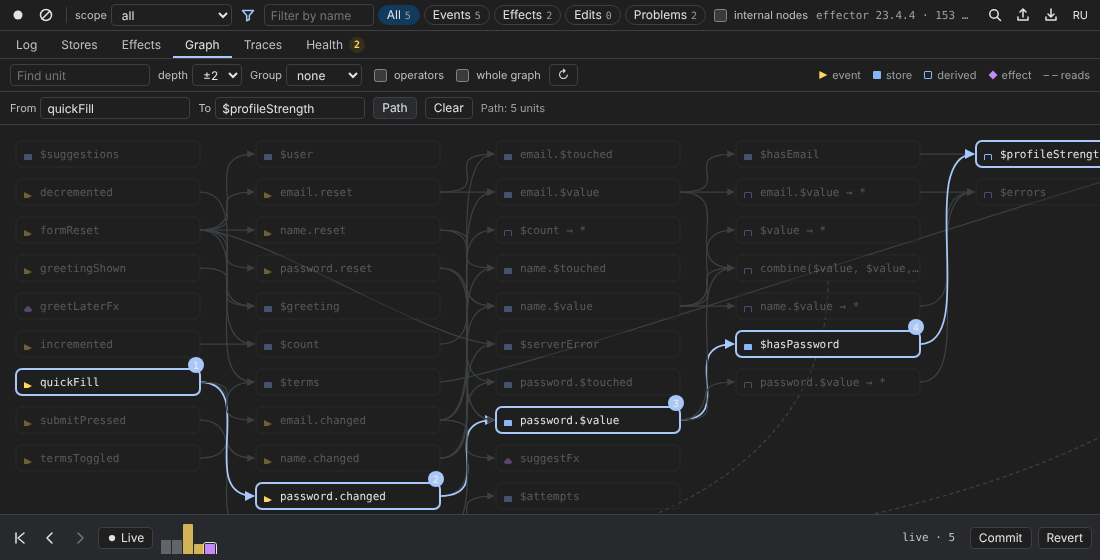
Type two unit names into From and To and press Path: the shortest chain of units between them is highlighted and numbered. Use it to answer “how on earth does this button change that store?”.
Groups
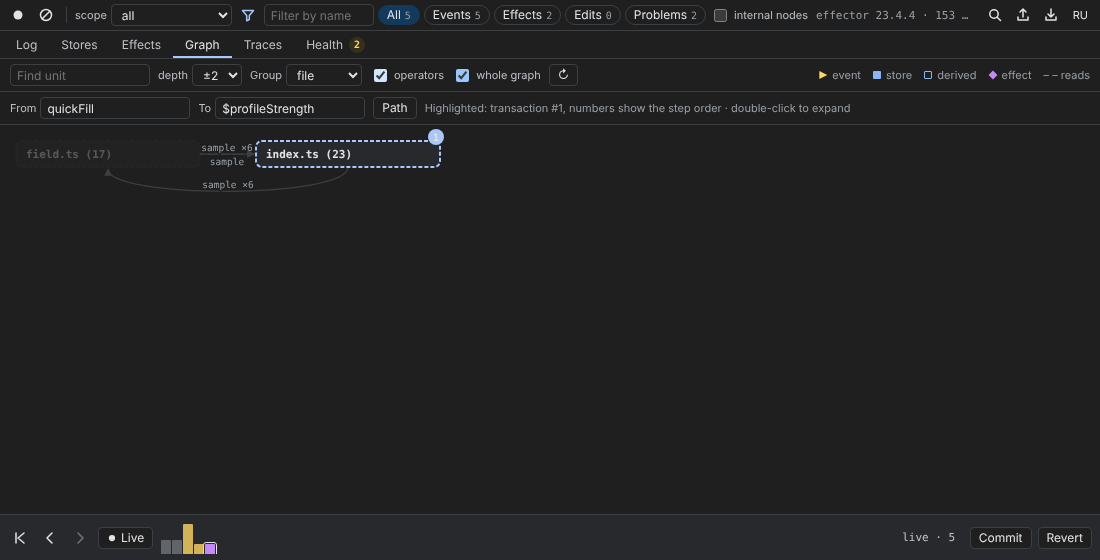
With a Group chosen, each file (factory, domain, model) is one box with the number of units inside; edges between groups are merged and counted. Double-click a group to expand it, again to collapse. Grouping by model uses the names given with registerModel.
Big graphs
Above 120 units the tab does not draw everything at once: “N units. Pick a unit in the log or Stores to show its neighbourhood.” Show all anyway draws the whole graph; with Group set to file this stays readable even for thousands of units.
The Health tab links here too: Show in Graph focuses the units of a cycle, a stale read or a double update.