
Time travel
Pick any transaction and the app shows the state right after it. How that is done depends on your setup, and deffector tells you which way it went.
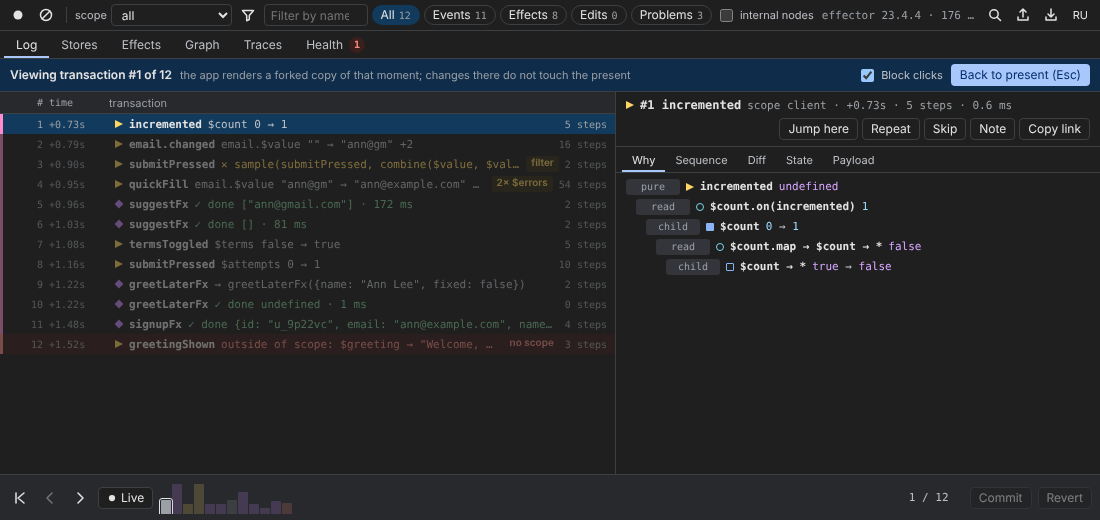
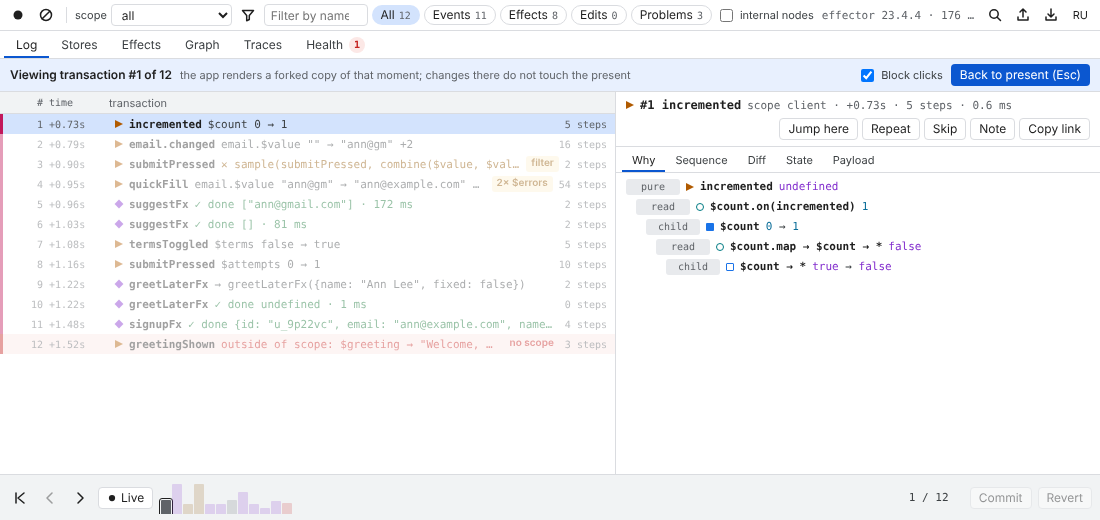
Moving through history
- double-click a row in the Log, select it and press Enter, or press Jump here in the inspector;
- Ctrl+[ / Ctrl+] — one transaction back / forward (⌘ on macOS works too);
- Esc — back to the present.
The time bar at the bottom of every tab does the same with the mouse:
| Control | What it does |
|---|---|
| ⏮ First step | jump to the first transaction |
| ‹ Step back (Ctrl+[) | one transaction back |
| › Step forward (Ctrl+]) | one transaction forward |
| ● Live | back to the present |
| bars | the last 160 transactions; the height grows with the number of steps; colours mark errors, warnings, effects, edits and branches. Click a bar to jump |
3 / 12 or live · 12 | the position |
| Commit | “Make the current state the base and clear the history” |
| Revert | “Return the state to the last commit” — performed as one edit, so it is logged and recorded |
While the app shows the past, a banner says Viewing transaction #1 of 12, later rows are dimmed, and Commit / Revert are disabled. Jumping to the last transaction is the same as going live.
Two strategies
Forked copy (with fork() and an adapter)
When the app uses fork() and renders through DeffectorProvider (or withDeffector / DeffectorScope in Vue), deffector builds a new scope from the values at that moment, keeps the effect handlers of the live scope, and asks the adapter to render the app with it. The banner hint reads: “the app renders a forked copy of that moment; changes there do not touch the present”.
The present scope is never written to. Going back to the present simply renders the live scope again. The forked copy appears in the scope selector as a branch (⑂) named like client @ #4.
In place (global mode, or a scope without an adapter)
Without a way to render another scope, deffector writes the values of that moment into the live state with launch (these writes are not recorded). Watchers, samples and effects react to them, so the result is not guaranteed. The current values are saved first and written back when you return to the present. The hint reads “values were written into the live state in place”, and in global mode a warning banner adds: “Global mode: jumps write values in place, watchers and effects react. Nothing is guaranteed — prefer fork().”
See Frameworks for how to get the forked strategy.
The page is locked while it shows the past
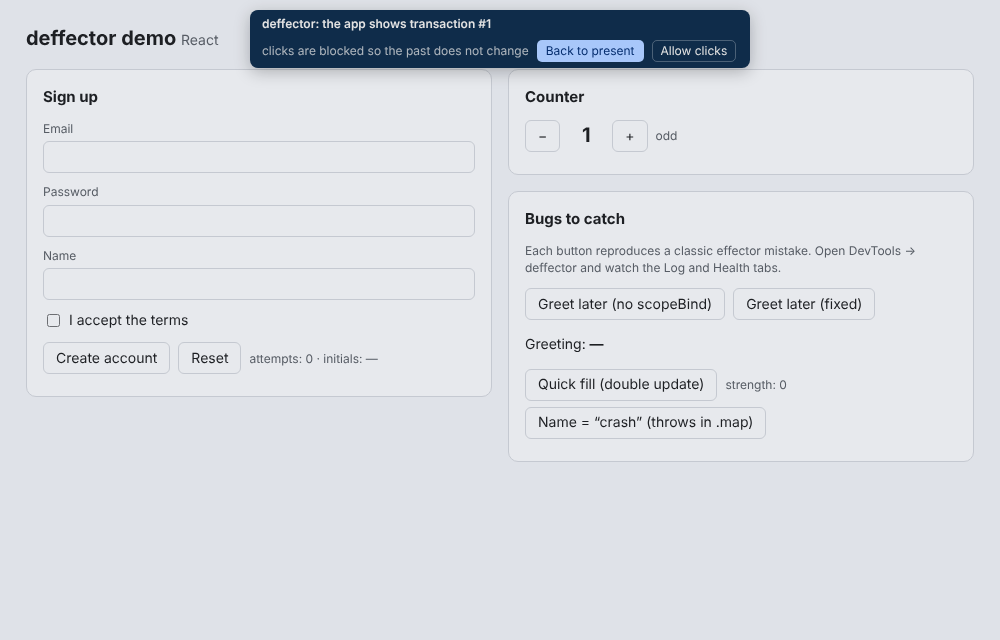
A click in a page that shows the past would change it. So while you look at the past, deffector covers the page with a transparent layer and a small bar: “deffector: the app shows transaction #N — clicks are blocked so the past does not change”. Clicks, pointer events and keyboard input do not reach the app. Esc in the page, or Back to present on the bar, returns to the present.
Allow clicks (on the bar) or unchecking Block clicks (in the panel banner) lifts the cover: “The page accepts clicks: changes go to a branch”. With the forked strategy, everything you do then happens in the forked scope and is logged with a branch badge — a quick way to try “what if I had clicked this instead”. The present is still untouched.
To turn the cover off for good, pass lockPast: false to attachDeffector.
Edits in the past
Editing a store, calling an event or applying a preset while the app shows the past targets the scope you are looking at — the forked copy — not the present.
When DevTools closes
If the panel disconnects while the app shows the past, the agent returns to the present by itself.