
Stores
The Stores tab lists the current value of every store in the scope you are looking at, and lets you put your own values into them.
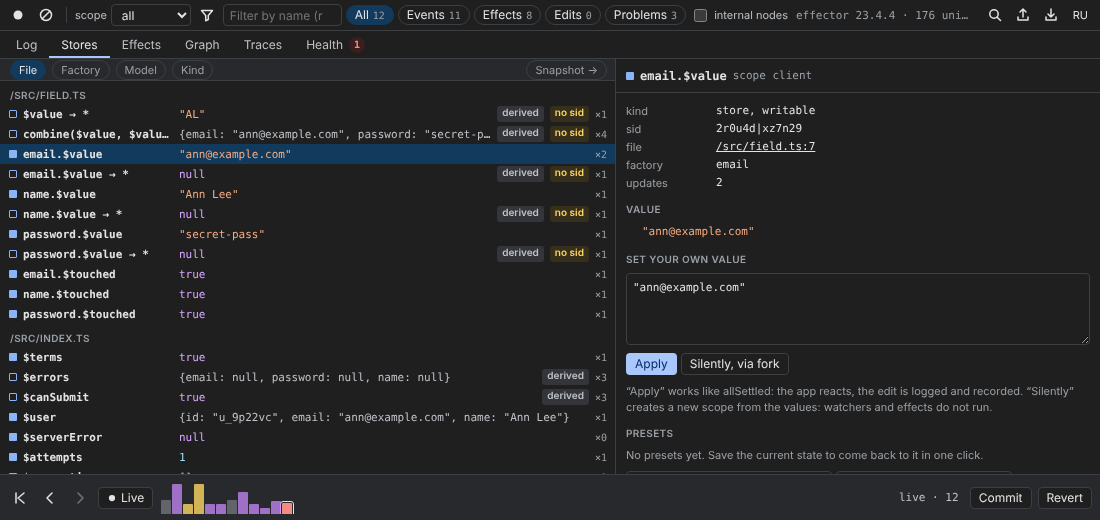
The list
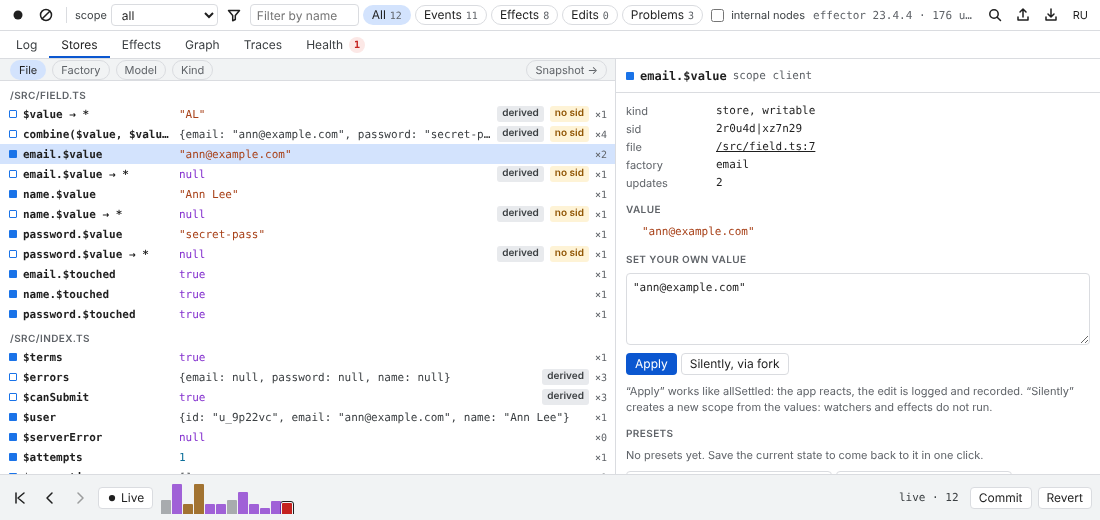
Stores are grouped by File, Factory, Domain, Model or Kind (writable or derived) — the buttons above the list. Domain and Model appear only when there is something to group by. Inside a group stores follow their line in the source.
Each row shows the glyph (■ writable, □ derived), the name, the value and how many times the store changed in the recorded history (×2). Badges: derived, no sid (the store will be skipped by serialize and matched only by name in traces), not serialized (serialize: 'ignore').
Units of one model instance can be grouped under a readable name with registerModel.
A store
Select a store to see its details: kind, sid, file (a link that opens the Sources panel at the line), factory, domain, model, the number of updates, the full value as a tree, and the last ten changes in History (click one to open that transaction in the Log).
Set your own value
Writable stores have an editor with the current value as JSON. Two ways to apply it:
- Apply works like
allSettled: the app reacts, the edit is logged (✎ devtools) and recorded, so it is part of an exported trace; - Silently, via fork creates a new scope from the current values plus yours and makes it the live one: watchers and effects do not run. The log gets one
✎ devtools · silentrow. Needsfork()and an adapter.
Derived stores (map, combine) have no editor: “A derived store is computed from its sources: change the sources instead.”
Presets
Save current form as preset stores the values of all writable stores under a name. A preset button then applies them all at once, as one logged edit (✎ preset “name”). Presets are kept in the panel's localStorage, per app name, so they survive reloads. × removes one.
Call
Call launches any event or effect in the selected scope, “like a call from the app”: pick the unit, type a JSON payload (the placeholder shows the last payload it was called with) and press Call. The transaction is marked as started from deffector.
Snapshot
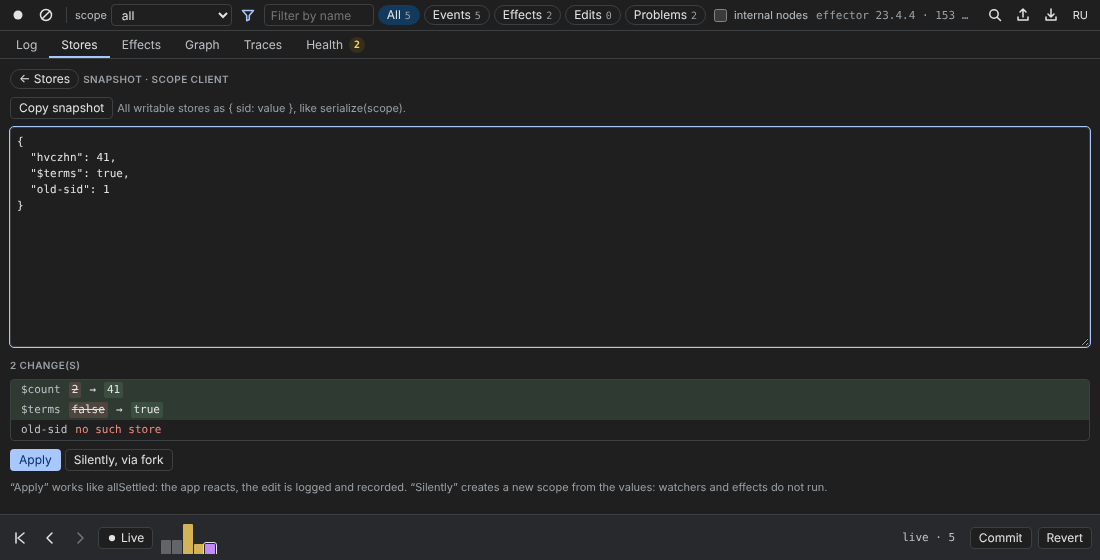
Snapshot → switches the tab to a whole-state view:
- Copy snapshot copies all writable stores as
{ sid: value }, likeserialize(scope)(stores without a sid are keyed by name;serialize: 'ignore'stores are left out); - paste a snapshot —
{ sid: value }or{ name: value }— and the diff appears before anything happens:$count 2 → 41,$terms false → true; unknown keys are marked “no such store”, equal values “no change”; - Apply or Silently, via fork applies only the changed stores, with the same meaning as for a single store.
A snapshot from a server log, a bug report or another tab is the quickest way to put the app into that exact state.
Which scope
The tab shows the scope selected in the toolbar, or the one the app is rendering. While the app shows the past, edits go to the forked copy you are looking at (see Time travel).