
Log
The Log tab is where you spend most of the time. Every row is one transaction: a root call (a click, a timer, a settled effect, an edit from the panel) and every kernel step it caused. On the right, the inspector explains the selected transaction.
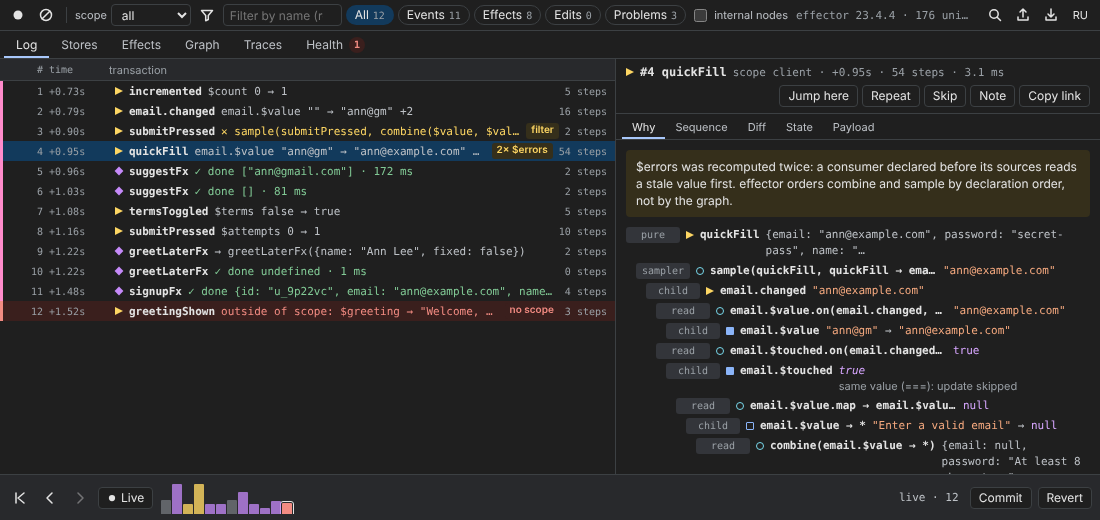
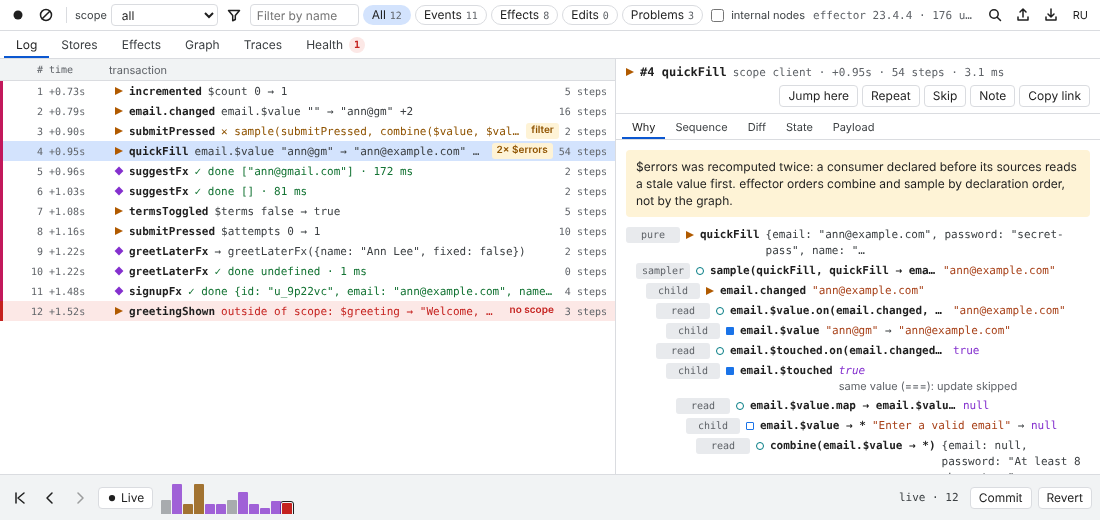
The toolbar
The toolbar above the tabs belongs to the whole panel, but most of it filters the log.
| Control | What it does |
|---|---|
| ● Start recording / Pause recording | stops and resumes recording; while paused the status reads “recording paused” |
| ⊘ Clear log (Ctrl+L) | clears the history; the present state becomes the new base |
| scope | shows all scopes or one of them. ● marks the scope the app is rendering now, ⑂ marks a branch deffector created |
| funnel | saved filters |
| Filter by name (regex) | a case-insensitive regex over the row label; an invalid regex falls back to plain substring search |
| All · Events · Effects · Edits · Problems | quick filters with counters. Edits are transactions started from deffector; Problems are those with an exception, a call outside of a scope, a blocked filter, a double update, a failed effect or a cut-off step tree |
| internal nodes | also shows deffector-internal and effector-internal nodes in the step tree and in Stores |
| status | effector 23.4.4 · 176 units · 12 tx |
| search | the command palette (Ctrl+K) |
| Export trace (Ctrl+S) / Import trace | open the Traces tab; export builds the JSON at once |
| RU / EN | switches the panel language |
The keys 1–6 switch tabs (when no input is focused).
Rows
Each row shows the number, the time since the agent started (+0.95s), a glyph of the root unit, its name and a summary: what changed ($count 0 → 1), what an effect returned (✓ done [] · 81 ms) or what went wrong. On the right is the number of steps.
Glyphs follow the panel colours: ▶ event (yellow), ■ store (blue), □ derived store, ◆ effect (violet). The coloured stripe on the left tells apart calls in the app's scope (pink), edits from deffector (blue), branches (violet) and calls that went to the global graph (red).
Badges point at what deserves a look:
| Badge | Meaning |
|---|---|
2× $errors | the store was recomputed twice in this transaction |
no scope | the root was called outside of any scope while the app uses fork() |
filter | a sample/guard filter returned false |
stale read | a sample read a store before the store was updated in the same transaction |
derived write | a derived store was written directly |
stopped | deffector cut a runaway loop |
devtools | started from the panel (an edit, a call, a preset) |
trace | produced by a trace replay |
branch | happened in a branch scope (for example after a jump with clicks allowed) |
note | the transaction has a note |
↳ #3 | called from inside transaction #3 (a watcher or an effect handler) |
Click a row to inspect it; ↑ / ↓ move the selection, Enter or a double-click jumps to that moment (see Time travel).
The inspector
The header repeats the transaction: number, name, scope, time, steps and how long the kernel took. Then the actions:
- Jump here — show the app at this moment;
- Repeat — call the same event again with the same payload, in the scope you are looking at (events only);
- Skip / Restore step — re-run the history of the scope without this external call, Redux DevTools style. deffector replays every other external call into a new branch, with effect results taken from the recording. Needs
fork()and an adapter; - Note — attach a note (see below);
- Copy link — copy
#step=Nto the clipboard.
Why
Plain-language explanations come first, for example:
- “$errors was recomputed twice: a consumer declared before its sources reads a stale value first. effector orders combine and sample by declaration order, not by the graph.”
- “greetingShown was called outside of any scope. The change went to the global graph while the app reads its own scope, so the UI does not show it. Fix: scopeBind before leaving the effect.”
- “sample(...) did not fire: filter returned false, so the target was not called and nothing changed.”
- “An exception stopped this branch. Sibling branches already committed, derived stores may be out of sync.”
- “Called from inside transaction #3 (a watcher or an effect handler).”, “Result of the effect call from transaction #5.”, “Started from deffector: …”.
Below them is the step tree in the order the kernel ran it. Each step shows its lane (pure, read, child, sampler, barrier, effect — effector's priorities), the unit, and the value: prev → next for stores, ✕ filter = false for a blocked filter, the error for an exception, the call number for an effect. Small notes explain steps that did nothing: “same value (===): update skipped”, “undefined: update skipped”. A unit with a known source location is a link: it opens the file in the Sources panel at the line.
The step tree is limited to maxSteps steps per transaction (5000 by default, see Configuration).
Sequence
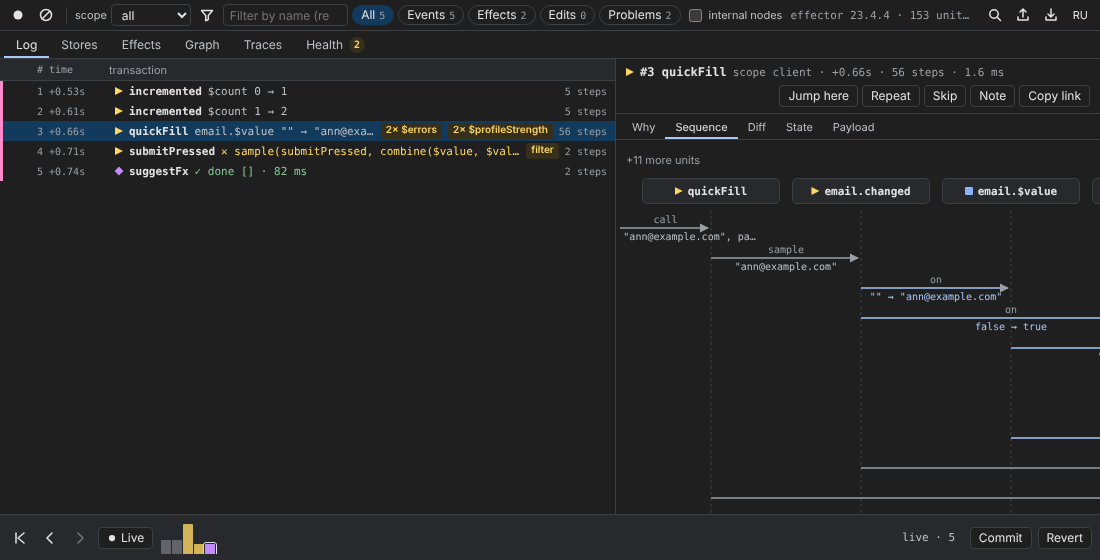
The same transaction as a sequence diagram: units are lifelines, operators are arrows labelled call, sample, on, map… with the value they carried. ✕ marks a filter that did not pass. Up to ten units are drawn; the rest are summarised as “+N more units”.
Diff, State, Payload
- Diff — every store that changed,
from → to, with the new value expandable; - State — the value of every store in the scope after this transaction; changed ones are highlighted;
- Payload — what the root unit was called with.
Notes and links
Note opens a text field: “What is wrong here? The note goes into the trace.” A transaction with a note gets a note badge, the note is shown in Why, and it is exported with the trace — the person who replays it sees “Note from the trace author: …” at that step.
Copy link copies #step=N. Paste it after the trace in the import field, or into Open at step on the Traces tab, and the replay stops at that transaction. When you export with a transaction selected, the checkbox “open at #N after replay” writes the same thing into the trace (meta.focus).